Choosing a retail POS system in Saudi Arabia may seem like a simple decision, but it directly affects sales speed, inventory accuracy, invoice compliance, and branch performance tracking. If your team manually reviews sales or discovers missing stock too late, the problem may not be with employees alone; it may lie in the system managing your daily sales operations.
In this guide, we explain how to choose the right POS system for retail, and which criteria you should evaluate before purchasing point of sale software, from ZATCA compliance and real-time inventory management to supporting clothing stores, computer shops, mobile phone stores, and accessories retailers. We also explain how Microtec’s O-GREEN solutions connect sales, branches, and inventory from one centralized platform.
Key Takeaways from This Article:
- POS transactions in Saudi Arabia reached SAR 707.2 billion in 2025, across more than 11.5 billion transactions, making the choice of a POS system an important daily sales decision rather than simply selecting a cashier tool.
- E-invoicing in Saudi Arabia was introduced in two phases: the Generation Phase on December 4, 2021, followed by the Integration Phase with ZATCA on January 1, 2023.
- When choosing a retail POS system, focus on five elements: ZATCA compliance, sales speed, inventory accuracy, employee permissions, and branch management.
- Clothing stores need size and color management, computer stores require serial-number tracking, while mobile phone stores need fast product and price updates.
How Does a Retail POS System Turn Sales and Inventory into Clearer Business Decisions?
Choosing a retail POS system directly affects daily profitability because a store transaction does not end when the invoice is issued.
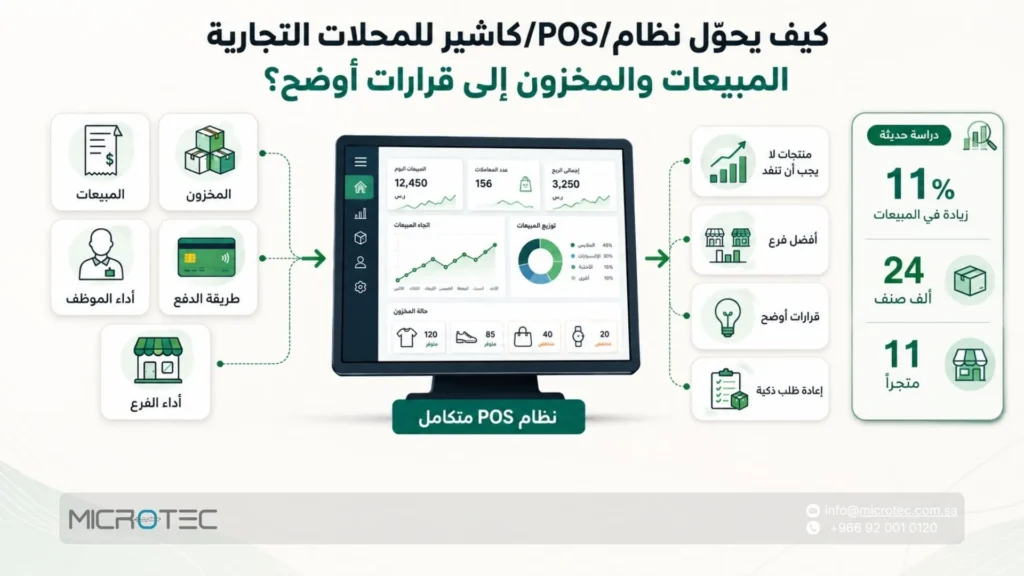
Every sale reveals product movement, remaining quantities, employee performance, payment methods, and which branch is achieving the best results.
For this reason, store owners need retail management software that connects the cashier with inventory and reporting instead of using a payment screen that operates separately from the rest of the business.
The impact is particularly clear in inventory management. A recent study covering approximately 24,000 products across 11 stores found that inventory auditing increased store-level sales by 11%, because accurate inventory figures help prevent stockouts and reveal differences between recorded inventory and actual stock.
For this reason, do not compare the best retail POS solutions in Saudi Arabia based on price alone. Compare their ability to control products, analyze sales, and support the specific requirements of your business.
Before choosing point of sale software for retail, ask yourself:
- Do I need a simple retail POS solution for a single branch?
- Do I sell products with sizes and colors and therefore need a POS system for retail clothing store operations?
- Do I need serial-number tracking for a mobile phone and accessories store?
- Do I sell devices and components that require warranty tracking, such as computer products?
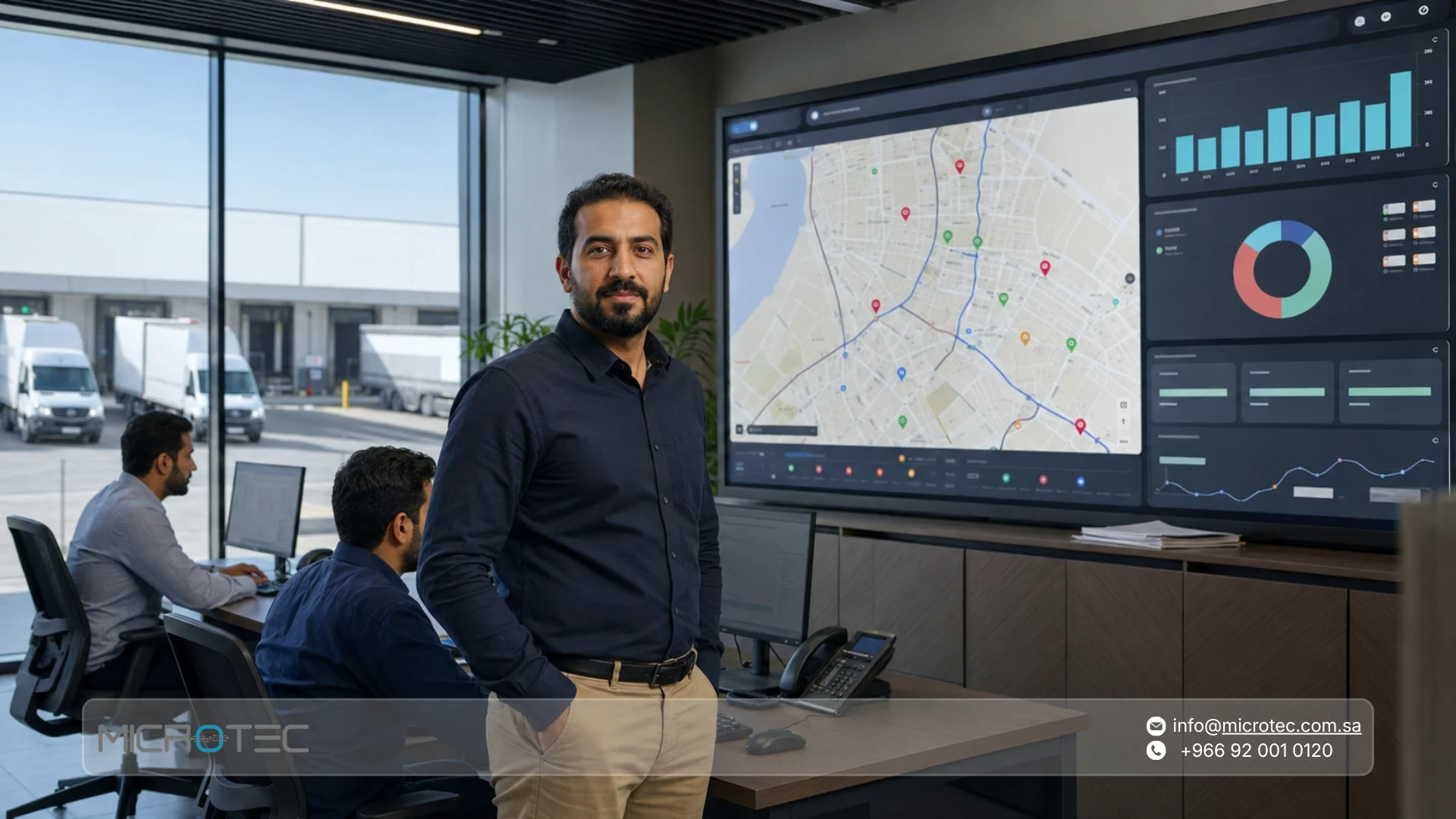
- Do I need to connect branches, inventory, and reports through one dashboard?
- Does the system support invoicing and local regulatory requirements in Saudi Arabia?
The following table connects each type of retail business with the features you should look for:
| Business Type | What Does It Need from the POS System? | Practical Example |
|---|---|---|
| Clothing store | Colors, sizes, barcodes, returns | A POS system for retail clothing store helps identify the fastest-selling sizes |
| Mobile phone store | Serial numbers, warranties, accessories | The POS system connects each device with its sales information |
| Computer store | Components, specifications, maintenance, detailed invoices | The POS system helps track devices and accessories |
| Grocery or convenience store | Fast checkout, daily inventory, stock alerts | A retail POS system reduces inventory-counting errors |
| Multi-branch retailer | Branch integration, permissions, unified reports | Retail POS provides a centralized view of performance |
Before adopting any retail POS system, test a real sales transaction from your business: a product with a size, a warranty item, a return, and a discount.
The Microtec team can help you choose a system that suits your business in Saudi Arabia, whether you manage a clothing store, mobile phone store, computer shop, or multi-branch retail operation.
Read Also: Best Restaurant Management Software in Saudi Arabia: Inventory, Menu & Reporting
How Do You Choose the Best Retail POS System in Saudi Arabia?
Choosing a retail POS system Saudi Arabia solution starts with understanding how sales actually work inside your store.
Do you sell products with different sizes and colors? Do you have more than one branch? Do you need daily reports on profits and inventory?
Answering these questions helps narrow your search among dozens of systems and enables you to select point of sale software that genuinely supports your daily operations.
One of the most important factors is inventory. A recent study of approximately 24,000 items across 11 stores found that inventory auditing increased store-level sales by 11%.
For this reason, do not evaluate the best retail POS system in Saudi Arabia based only on the sales interface. Examine how effectively it connects sales with inventory, reports, branches, and local compliance requirements.
In Saudi Arabia, regulatory compliance should also be considered from the beginning. Phase Two of e-invoicing began on January 1, 2023, through implementation waves, meaning retailers need a system capable of supporting invoice and integration requirements when their establishments are included.
Use the following evaluation table before signing a contract:
| Criterion | What Should You Verify? | Why Does It Matter? |
|---|---|---|
| Compliance | Does the system comply with ZATCA requirements? | Helps prevent choosing a system unsuitable for invoicing in Saudi Arabia |
| Ease of use | Is the interface simple for employees? | Reduces training time and sales errors during busy periods |
| Branch management | Can multiple branches be managed through one dashboard? | Provides a unified view of sales and inventory |
| Reporting | Does the system provide real-time sales and profit reports? | Helps identify profitable and slow-moving products |
| Technical support | Does the provider offer local support familiar with the Saudi market? | Reduces downtime and speeds up problem resolution |
Before adopting any retail POS system, test a complete sales scenario from your business.
The Microtec team can help you choose a system that fits your store in Saudi Arabia, including cashier operations, inventory management, branches, reports, and invoicing according to your actual requirements.
Read Also: What is Meant by POS in a Bank Statement? A Merchant’s Guide
How Can Flexible Retail POS Software Support Different Types of Businesses?
Every retail business has different sales and management requirements, which means choosing a system based only on checkout speed is not enough.
A clothing store needs to track sizes, colors, seasons, and discounts.
Mobile phone and accessories stores need to record serial numbers, warranties, returns, and the movement of smaller accessories.
Computer stores, meanwhile, need to manage components, maintenance services, invoices, and products with different technical specifications.
This is where flexible retail management software becomes valuable. It allows you to configure sales screens, categorize products, monitor inventory, and generate reports according to your business sector.
If you manage multiple branches or more than one type of retail business, an integrated point of sale software solution can give you visibility into sales from one location instead of forcing you to move between separate files and applications.
This reduces data-entry errors, speeds up customer service, and gives you a clearer view of your best-selling products.
| Sector | What Does It Need? | How Does the POS System Help? |
|---|---|---|
| Clothing stores | Sizes, colors, seasons, promotions | A POS system for retail clothing store tracks each item by color and size |
| Mobile phone stores | Serial numbers, warranties, accessories, returns | POS connects products with sales and warranty information |
| Computer stores | Components, accessories, maintenance, specifications | POS organizes products and services within one invoice |
| General retail stores | Inventory, invoices, payments, reports | Retail management software combines sales, inventory, and reporting |
| Multiple branches | Monitoring each branch’s performance | POS provides branch performance through one dashboard |
If your store operates in more than one sector or you are planning to expand, start by choosing a flexible Microtec retail POS system that matches your sales model, whether you operate a clothing store, mobile phone store, computer shop, or multi-branch retailer.
Read Also: Restaurant POS System Features: What to Look For Before You Buy
What Are the Most Important Features of an Advanced Retail POS System in Saudi Stores?
An advanced retail POS system gives you a clear daily view of your sales, inventory, and payment methods.
In Saudi Arabia, electronic payments accounted for 85% of total retail payments in 2025, with 14.6 billion electronic payment transactions recorded during the same year.
This means modern point of sale POS software needs strong support for card payments, digital wallets, invoicing, and real-time reporting.
The most important features of a POS system include:
- Fast checkout: Reduces customer waiting times, particularly during peak periods and seasonal sales.
- Accurate inventory management: Connects each sale with the remaining quantity in the warehouse or branch.
- Clear daily reports: Displays sales, profits, slow-moving products, and best-selling products.
- Digital payment support: Matches current purchasing behavior in Saudi Arabia.
- Flexibility by business type: Supports clothing stores, mobile phone and accessories retailers, and computer stores.
- Employee permissions: Defines who can make sales, apply discounts, process returns, or access reports.
- Multi-branch readiness: Helps manage multiple branches from one dashboard.
Looking for a retail POS system that helps you control sales, inventory, and reporting?
Explore Microtec solutions and choose retail management software suited to your store, whether you manage a clothing store, computer shop, or mobile phone and accessories retailer.
Read Also: Best POS System for Restaurant in Saudi Arabia: Comparison and Selection Criteria
What Should You Check Before Purchasing Retail Management Software?
Start with the reality of your store operations before comparing prices.
Ask yourself: How many sales transactions do you process every day? Do you have one branch or several? Do you sell products with sizes and colors, such as clothing, or products with serial numbers and warranties, such as mobile phones and computers?
These questions determine the type of retail POS system you need and help prevent you from buying software that does not support the daily details of your business.
In Saudi Arabia, electronic payments accounted for 85% of total retail payments in 2025, with 14.6 billion electronic transactions recorded during the year.
Therefore, point of sale software for retail stores should support card and digital wallet payments and provide timely reporting so that you can monitor sales as they happen.
| Evaluation Point | What Should You Look For? | Why Does It Matter? |
|---|---|---|
| Invoice issuance | Correct tax information for every transaction | Reduces daily invoicing errors |
| Record storage | Organized archiving of invoices and notices | Makes data easier to retrieve during reviews |
| ZATCA integration | Readiness for Phase Two requirements | Helps avoid replacing the system later |
| Inventory integration | Quantity deduction after invoice issuance | Keeps inventory closer to actual stock |
| Financial reporting | Sales, tax, returns, and payment methods | Gives accountants clearer figures |
| Local support | A team familiar with Saudi market requirements | Speeds up issue resolution during sales operations |
Before adopting any retail POS system, test the complete invoice process from the moment of sale until the transaction appears in the report.
The Microtec team can help you choose an appropriate solution for your store in Saudi Arabia while configuring e-invoicing, inventory, reporting, and permissions according to your business model.
How Do Large Retail Stores Connect Inventory Management with Sales to Increase Profit?
Large retailers rely on real-time integration between inventory management and sales.
When an employee sells a product through a retail POS system, the system records the invoice, deducts the quantity from inventory, and adds the transaction to the day’s reports.
This short workflow gives store owners clear information about what was sold, what remains in stock, and what needs to be reordered.
In Saudi Arabia, electronic payments reached 85% of total retail payments in 2025, with 14.6 billion electronic transactions recorded during the same year.
This makes retail POS systems essential tools for tracking both digital and cash sales from the same screen, especially for stores serving large numbers of customers every day.
How Does Sales and Inventory Integration Help a Retail Store?
- Identifies best-selling products before they run out of stock.
- Reduces overstocking of slow-moving products.
- Helps determine order quantities based on actual demand.
- Gives managers daily reports on branch and employee performance.
- Reduces manual data-entry errors between the cashier and warehouse.
- Helps retail management software control invoices and returns.
For example, if you operate a clothing store and sell 30 items of a particular size in one week, the POS system for retail clothing store can immediately display this movement.
You can then reorder the required sizes before the season ends instead of discovering the shortage after losing potential customers.
The same principle applies to a mobile phone store selling large quantities of chargers and headphones, or a computer store that needs to monitor its most in-demand components with every invoice.
If you want to connect sales with inventory inside your store, start by reviewing Microtec’s POS solutions.
Choose a POS system that allows you to monitor quantities, invoices, payments, and performance reports from one place.
How Do You Request a Consultation to Choose the Right POS System for Your Store?
Before requesting a consultation, prepare a clear overview of how your store currently operates.
Write down the number of branches, the number of employees using the cashier, the average number of daily sales transactions, and the types of products you sell.
These details make the discussion more efficient and help determine whether you need a simple retail POS system for one branch or more advanced integrated point of sale software for managing multiple branches, inventory, and reporting.
If you operate a clothing store, determine whether you need a POS system for retail clothing store that tracks sizes, colors, and seasons.
If you operate a mobile phone business, clarify whether you need serial-number, warranty, and returns management.
Computer stores may need a retail POS solution that manages components, accessories, maintenance, and invoicing within the same operational workflow.
What Should You Prepare Before the Consultation?
- Business type: clothing, mobile phones, computers, or general retail.
- Number of branches and cashier points.
- Approximate number of daily sales transactions.
- Your current inventory management method.
- Whether you need to connect branches through one dashboard.
- Whether you require employee permissions.
- Whether you need sales, product, and branch reports.
- Whether you want to migrate data from an old system or Excel files.
Start with a simple step: contact the Microtec team and explain your store type, number of branches, and current sales process.
We can help you select a retail POS system that matches your business, whether you are looking for retail POS software, cashier software for stores, or comprehensive retail management software that combines inventory, sales, and reporting in one place.
Ultimately, choosing a retail POS system is not simply a technical decision; it represents a fundamental change in how you manage your business.
By adopting an integrated system that connects sales, inventory, and electronic invoicing, you can achieve smoother operations and more accurate reporting.
Evaluate your business needs today and begin your digital transformation journey with Microtec. Contact us and start your free trial.
Frequently Asked Questions About Retail POS Systems
1. How Much Does a Retail POS System Cost in Saudi Arabia?
The cost of a retail POS system in Saudi Arabia varies depending on the number of branches, users, devices, inventory integration, and invoicing requirements.
A small store may need a simpler package than a multi-branch retailer.
The important point is not to compare price alone. Consider whether the system reduces errors and supports future business growth.
2. Is a Cloud POS System Better Than an On-Premise System?
A cloud POS system is often more suitable when you need to monitor sales and branches from anywhere and want easier system updates.
An on-premise system may be more suitable for some retailers that prefer to keep their data infrastructure internally.
The right choice depends on the nature of your store, internet reliability, number of branches, and requirements for inventory and financial integration.
3. What Hardware Is Required to Operate a POS System in a Store?
The hardware required to operate a retail POS system may include a cashier terminal or tablet, barcode scanner, receipt printer, cash drawer, and electronic payment terminal when required.
Some businesses may also need additional hardware, such as barcode label printers.
Always verify hardware compatibility with the point of sale software before purchasing.
4. Does a POS System Require a Permanent Internet Connection?
A POS system requires internet connectivity when using cloud-based versions or connecting branches, reports, and e-invoicing.
Some systems offer a temporary offline operating mode during an internet outage and synchronize data afterward.
For this reason, ask the provider how the system handles connectivity interruptions before making your final decision.
5. What Is the Difference Between POS Software and Retail Management Software?
POS software primarily focuses on processing sales and issuing invoices, while retail management software also covers inventory, reports, branches, permissions, and financial operations.
In retail, an integrated solution is generally preferable because it keeps sales information connected with operational decisions.
6. How Long Does It Take to Implement a New POS System in an Existing Store?
The implementation time for a new POS system depends on the amount of data, the number of branches, and the complexity of the product catalog.
A small store with organized product data may migrate more quickly than a retailer managing sizes, colors, or serial numbers.
Preparing the data, training employees, and conducting a pilot run can significantly reduce initial implementation errors.
7. Can Product Data Be Migrated from an Existing System?
Yes. Product data can usually be migrated from an existing system if it is organized and exportable.
This may include product names, prices, barcodes, quantities, categories, and branches.
Before migration, duplicate entries and data errors should be corrected so that existing inventory problems are not transferred into the new system.
8. When Should a Store Owner Replace Their Current POS System?
A store owner should consider replacing the current POS system when inventory errors repeatedly occur, reports are delayed, branch integration becomes difficult, or the software no longer supports invoicing requirements.
Replacement may also become necessary when employees rely heavily on manual data entry.
A strong retail POS system should make daily sales easier and management decisions clearer.