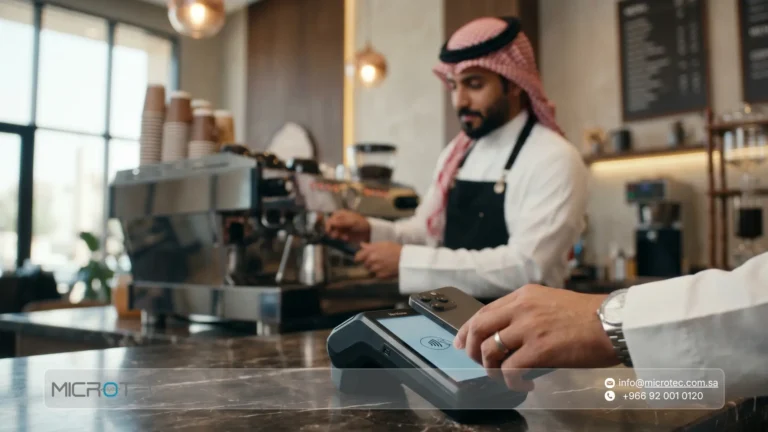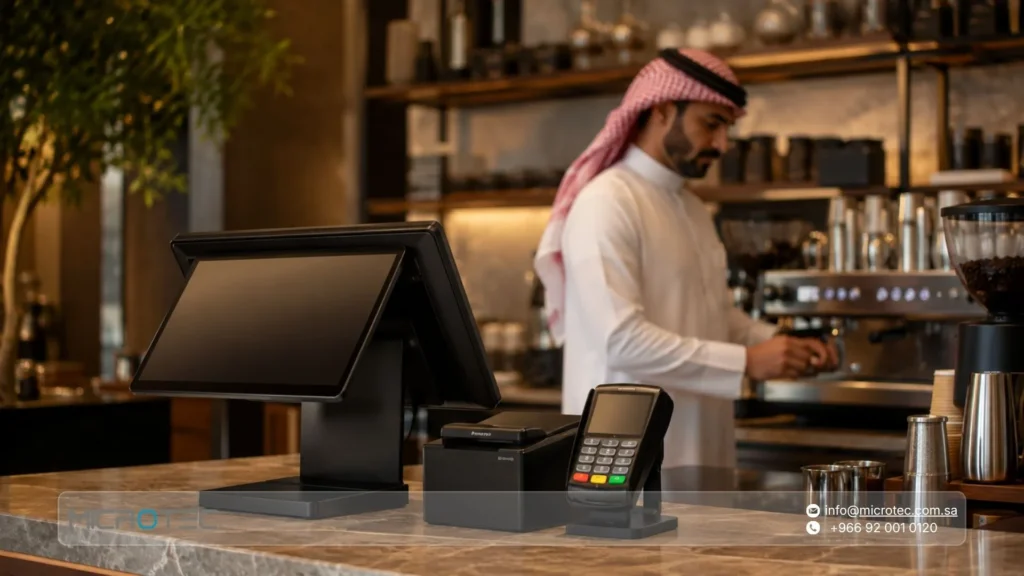
Crowds at the cashier counter can put pressure on your café team and lead to errors in orders, inventory, and reporting. That is why choosing a cafe POS system in Saudi Arabia starts with a practical question: Does the system support fast ordering, table management, beverage customizations, ingredient tracking, and e-invoicing from one platform?
In this guide, we explain the key criteria for choosing a POS system for a coffee shop and when looking for a low-cost cashier system can become an expensive decision in the long run.
We also explore how Microtec O-RED helps café owners connect sales with inventory, monitor branches, review reports, and manage daily operations with greater confidence in Saudi Arabia.
Key Takeaways from This Article:
- The right cafe POS system connects orders with inventory and reporting instead of simply issuing invoices.
- Before purchasing, review five key areas: checkout speed, table management, beverage customizations, branch integration, and e-invoicing.
- The E-Invoicing Generation Phase began in Saudi Arabia on December 4, 2021, while the Integration Phase began on January 1, 2023.
- A low-cost cashier system may become more expensive later if it provides weak technical support, limited integrations, or inadequate data protection.
- Microtec O-RED is an example of a cloud-based POS solution designed to serve cafés and restaurants.
How Does a Café POS System Turn Daily Orders into Profitable Decisions?
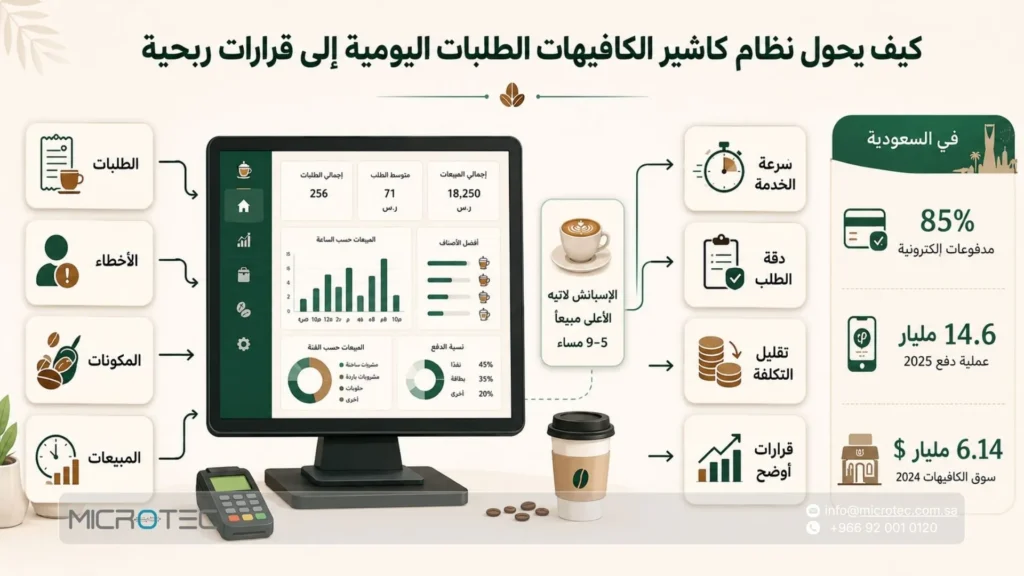
A cafe POS system helps you control orders, reduce employee errors, monitor ingredients, and analyze sales by hour and product.
For this reason, you should not choose it simply as a payment tool. Instead, consider it part of your café operations and cost management.
Choosing the right system also affects service speed, order accuracy, and the cost of every beverage.
A coffee shop handles different sizes, add-ons, flavors, takeaway orders, discounts, and seasonal promotions every day. You therefore need a pos cafe system that connects every order with inventory and reporting at the same time.
For example, if you know that Spanish Latte generates the highest sales between 5:00 PM and 9:00 PM, you can prepare ingredients before peak hours, allocate employees more efficiently, and reduce customer waiting times.
In Saudi Arabia, electronic payments reached 85% of total retail payments in 2025, with 14.6 billion electronic payment transactions recorded during the same year.
The Saudi café market was valued at USD 6.14 billion in 2024 and is expected to reach USD 9.87 billion by 2030, representing an annual growth rate of 8.23%.
These figures show that competition between cafés is no longer limited to coffee quality. Fast operations, seamless payments, and accurate sales reports have become part of both the customer experience and business profitability.
What Does a Café POS System Provide?
| What the Café Needs | How Does the POS System Help? | Practical Example |
|---|---|---|
| Fast ordering | Reduces the number of steps required to enter beverages and add-ons | Selecting the size, flavor, and add-on from one screen |
| Inventory control | Deducts ingredients associated with every product | Low milk or flavor stock appears before supplies run out |
| Identifying profitable products | Displays the most popular and profitable beverages | Discovering that a cold beverage sells more during the evening |
| Peak-hour management | Identifies the highest-sales periods | Adding another employee during evening hours |
| Fewer errors | Displays the order to the barista exactly as selected by the customer | Reducing confusion between dine-in and takeaway orders |
If you want a cashier system that helps you manage your café more clearly, explore Microtec POS solutions.
Choose a POS system that matches your operating model, from taking orders to monitoring inventory and reviewing daily sales reports.
Read Also: What Is a POS System? Complete Guide to Point of Sale Software
How Do You Choose the Best POS System for a Café in Saudi Arabia?
Choose a POS system for your café based on order-entry speed, digital payment support, ingredient management, sales reporting, employee permissions, and invoicing readiness.
The right cafe POS system helps reduce errors between the cashier and barista, identify best-selling products, and monitor the cost of each order.
The Saudi market makes this decision even more important.
Electronic payments accounted for 85% of retail payments in 2025, with 14.6 billion electronic transactions recorded during the year.
The café market in Saudi Arabia also reached USD 6.14 billion in 2024 and is expected to reach USD 9.87 billion by 2030.
These figures mean that cafés need fast cashier operations, flexible payment options, and reporting tools that support accurate daily decisions.
Criteria for Choosing a Café POS System:
- Fast order entry: Choose an interface that allows employees to select the beverage, size, add-ons, and collection method without unnecessary steps.
- Digital payment support: Make sure the system supports cards and digital wallets, as most retail transactions in Saudi Arabia have shifted toward electronic payments.
- Ingredient management: A good system should track coffee beans, milk, cups, flavors, and fast-moving supplies.
- Product reports: You need to identify best-selling beverages, underperforming items, and average order value.
- Peak-hour management: Hourly reports help you prepare your team before morning or evening rush periods.
- Employee permissions: Define who can apply discounts, cancel invoices, and access reports.
- E-invoicing support: The Integration Phase began in Saudi Arabia on January 1, 2023, through implementation waves, so make sure the system is ready to support invoicing requirements when they apply to your establishment.
- Scalability: Choose a system that can accommodate a new branch, additional order screens, another cashier terminal, or a management reporting dashboard.
Practical example: If your cafe POS system shows that Spanish Latte orders increase between 5:00 PM and 9:00 PM, you can prepare ingredients before the rush, assign an additional preparation employee, and promote a complementary product such as cookies.
In this situation, the POS system helps increase service speed, reduce waste, and analyze actual demand instead of relying on assumptions.
Looking for a POS system that fits your coffee shop in Saudi Arabia?
Explore Microtec cashier and POS solutions and choose a system that helps you manage orders, payments, inventory, and sales reporting from one place.
How Does a Café POS System Help Control Inventory and Reduce Waste?
A cafe POS system helps you understand inventory movement from the moment a sale is completed instead of waiting until the end of the day.
You can connect every product to a defined recipe within the POS system.
For example, a latte may be linked to a specific quantity of coffee beans, milk, a cup, and a lid, while a cold vanilla beverage may be linked to flavor syrup, ice, and packaging.
With every order, the system automatically deducts the corresponding ingredients and shows you which supplies are approaching their minimum stock level.
This helps prevent essential materials from running out during peak hours and reduces over-purchasing of slow-moving products.
This becomes particularly important in Saudi Arabia, where electronic payments reached 85% of retail payments in 2025, with 14.6 billion electronic transactions recorded during the year.
This transaction volume turns the cashier system into a daily source of sales data rather than simply a screen for issuing invoices.
In the restaurant sector, food waste has reached 9.55% in quick-service restaurants and 11.3% in full-service restaurants in operational studies. Cafés therefore need software capable of monitoring actual ingredient consumption before waste becomes a permanent cost.
How Does the POS System Manage Café Inventory?
- Connects every beverage with the ingredients used to prepare it.
- Deducts coffee beans, milk, cups, flavors, and add-ons after every sale.
- Alerts you when essential supplies are close to running out before peak hours.
- Identifies products that consume large amounts of ingredients but generate low profit.
- Displays the most frequently ordered beverages by day and hour.
- Helps you order quantities based on actual consumption.
- Reduces manual inventory counting and errors between the cashier and warehouse.
Practical example: If the café sells 180 cups of coffee in one day, the POS system can display the amount of coffee beans, milk, and cups consumed through those sales.
You can then determine whether you need to place a new order, modify a product recipe, or reduce purchasing for a slow-moving item.
This allows you to manage inventory based on numbers instead of estimates.
Want a cashier system that helps control café inventory from the first sale?
Explore Microtec POS solutions and choose a pos cafe system that connects orders with ingredients, reports, and sales from one place.
Read Also: Retail POS System Guide: Best Point of Sale Software for Stores in Saudi Arabia
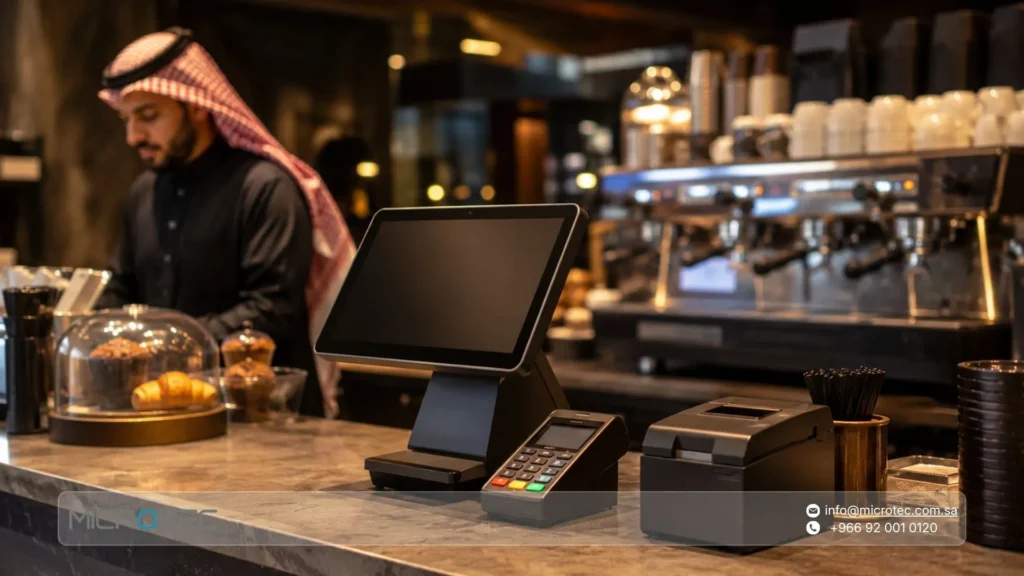
How Do You Balance a POS System Budget with the Value You Receive?
Purchasing a cashier system requires balancing the budget with the value the system provides to the business.
A low price may initially look attractive, but it can become expensive if the system is slow, does not support inventory management, or fails to provide clear reports about sales, products, and employees.
At the same time, you do not need to pay a high price for features you will never use, particularly if you operate a single branch with relatively simple sales activity.
Start by identifying what you actually need.
Do you only need a POS system for sales, or do you need a complete management solution covering inventory, invoices, and reporting?
In Saudi Arabia, electronic payments reached 85% of retail payments in 2025, with 14.6 billion electronic payment transactions recorded during the same year.
Digital payment support is therefore no longer an optional feature in modern POS software.
The E-Invoicing Integration Phase also began on January 1, 2023, through implementation waves, which makes invoicing readiness an important factor when comparing different systems.
How Do You Compare Price with Value?
- Calculate the cost of errors, not just the subscription fee: An inventory error or incorrect invoice may cost more than the price difference between two systems.
- Review the features you use daily: Sales, returns, discounts, inventory, reporting, and permissions.
- Do not pay for unnecessary complexity: If your business is small, choose a clear system that can scale later.
- Compare technical support: A low-cost system without responsive support can interrupt sales during peak periods.
- Check compatibility with your business: A clothing store needs size and color management, a mobile phone store needs serial-number and warranty tracking, while a computer store may require component, service, and maintenance management.
- Ask about expansion costs: Adding a new branch, cashier terminal, user, or accounting integration may increase costs later.
Practical example: If you operate a clothing store, you may find a low-cost system that only records invoices.
Two months later, however, you may realize that you cannot identify which sizes sell fastest, which colors remain in stock, or which branch requires replenishment.
At that point, the difference in price between a basic POS system and an integrated solution may be lower than the cost of relying on estimates for purchasing and inventory.
Before choosing a cashier system, identify your budget and daily operational needs.
Review Microtec POS solutions and choose a system that provides clear value for your investment: faster sales, more accurate inventory, organized invoices, and reports that support better decisions.
What Technical Features Does a Café POS System Need?
Choosing a cafe POS system depends on the small details that happen hundreds of times every day: beverage size, type of milk, add-ons, collection method, discount, and payment method.
This is why O-RED, as an example of a café POS system, requires a fast ordering screen that allows employees to enter a beverage and its customizations within seconds while sending the order directly to the preparation team without confusion between dine-in, takeaway, and delivery orders.
These features are even more important in the Saudi market.
Electronic payments accounted for 85% of retail payments in 2025, with 14.6 billion electronic transactions recorded during the same year.
The Saudi café market reached USD 6.14 billion in 2024 and is expected to reach USD 9.87 billion by 2030, with an annual growth rate of 8.23%.
These figures make the POS system an important part of service speed, cost management, and the customer experience inside the coffee shop.
Key Technical Features Required in O-RED:
| Technical Feature | Why Does a Café Need It? | Example in O-RED |
|---|---|---|
| Fast ordering screen | Reduces waiting times during busy periods | Entering a large latte with almond milk and vanilla |
| Recipe management | Connects sales with ingredients | Every cup deducts coffee beans, milk, and the cup from inventory |
| Inventory alerts | Prevent essential supplies from running out | Alert before takeaway cups or milk run out |
| Hourly reports | Help prepare the team | Identifying higher demand between 5:00 PM and 9:00 PM |
| Employee permissions | Reduce discount and cancellation errors | Only the manager can approve invoice cancellation |
| Multi-branch management | Provides management with greater visibility | Comparing Riyadh branch sales with Jeddah branch sales |
| Offline mode | Keeps sales operations running | Continuing cashier operations when internet connectivity is weak |
| Preparation screen | Organizes workflow between the cashier and barista | Sending the order to the barista with size and add-ons |
Practical example: If O-RED records that iced Spanish Latte generates the highest sales during the evening, the café manager can prepare milk, cups, and flavors before the peak period.
If every beverage is connected to a clear recipe, the manager can also understand actual ingredient consumption instead of relying on manual inventory counts at the end of the day.
Looking for a cafe POS system that helps you manage orders, inventory, and payments from one place?
Explore Microtec POS solutions and compare O-RED against the actual requirements of your café before making a purchasing decision.
Read Also: Best Restaurant Management Software in Saudi Arabia: Inventory, Menu & Reporting
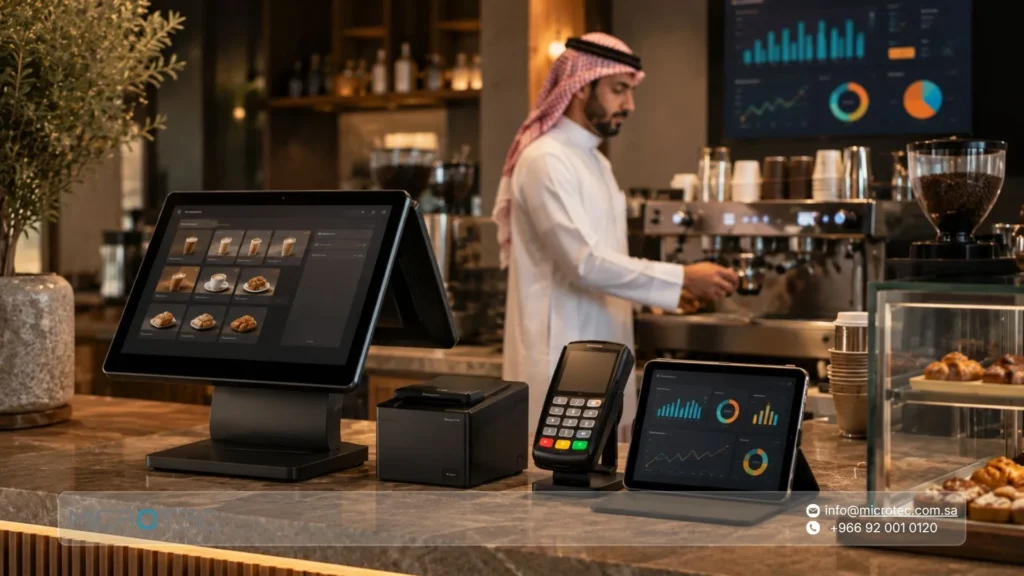
How Do You Implement Digital Transformation in a Café from Order Entry to End-of-Day Reporting?
The digital transformation of a modern café begins the moment a customer enters or places an order.
Instead of writing the order manually or transferring information between the cashier and barista, the employee enters the beverage into the cafe POS system together with its size, add-ons, milk type, and collection method.
The order is then sent directly to the preparation screen and connected with payment, inventory, and reporting without duplicate data entry.
In Saudi Arabia, electronic payments reached 85% of retail payments in 2025, with 14.6 billion electronic payment transactions recorded during the same year.
The Saudi café market also reached USD 6.14 billion in 2024 and is expected to grow to USD 9.87 billion by 2030.
These figures make digital transformation an important operational step for any café seeking faster service and decisions based on daily business data.
Steps for Digital Transformation Inside a Café:
- Convert the product menu into a digital menu: Add beverages, sizes, add-ons, flavors, desserts, and promotions to the POS system.
- Connect each product to a clear recipe: Link every beverage to its ingredients, including coffee beans, milk, cups, lids, flavors, and ice. This helps you monitor inventory accurately.
- Enter orders from one screen: Allow employees to select the beverage, size, add-ons, and collection method without unnecessary steps.
- Send orders to the preparation screen: Orders reach the barista clearly with customer details and notes, reducing preparation errors.
- Connect payment with invoicing: The system supports cash, cards, and digital wallets while providing a clear invoice for every order.
- Update inventory after each sale: The system deducts ingredients associated with every order and displays supplies that are close to running out.
- Review daily sales reports: Monitor best-selling beverages, peak periods, average order value, and sales by employee or branch.
- Improve decisions based on data: Use these figures to adjust promotions, prepare inventory, schedule employees, and price products.
Practical example: If the POS system shows that cold coffee sales increase between 4:00 PM and 8:00 PM, you can prepare cups, ice, and flavor syrups before the peak period.
If the report shows that a particular beverage consumes a large amount of ingredients but generates low profit, you can adjust its price, recipe, or serving size.
This is how a coffee shop moves from daily management based on guesswork to operations based on clear data.
Want to transform your café into an organized digital operation?
Explore Microtec POS solutions and choose a pos cafe system that helps you manage orders, payments, inventory, and reporting from one place.
Frequently Asked Questions About Café POS Systems in Saudi Arabia
1- Is a Café POS System Compatible with E-Invoicing?
Yes. The system should comply with applicable requirements, and Microtec works to keep its systems aligned with the latest e-invoicing requirements issued by the Zakat, Tax and Customs Authority to support compliance.
2- Can I Connect the POS System with Inventory?
Yes. An effective café POS system should automatically deduct raw materials from inventory after every sale to improve inventory accuracy and reduce waste.
3- What Is the Difference Between a Retail POS System and a Café POS System?
A café requires specialized functionality such as table management, beverage customizations, and fast-order workflows.
These requirements are supported by O-RED, which is designed specifically for cafés and restaurants.
4- Can the System Help Me Make Expansion Decisions?
Yes. Through accurate periodic reports covering profits, costs, and best-selling products, you can make expansion decisions based on clear business data instead of assumptions.